
# API Introduction
Welcome to K-Pro external facing api, the leading platform to manage your sales process for affordable homes in the UK.
To a better understanding about how to use K-Pro api, the guide is divided in sections that match the sections of the api.
# Test and Production environmentss
K-Pro provides a Test environment to test your solution during the implementation process. The base url for the Test API is:
https://test.app2.kpro.co/hp-api
Contact us to get access to the Test environment.
Once your solution is ready to go to production, just change the base url by the production one:
https://app2.kpro.co/hp-api
All endpoints in this guide will use relative urls, which are independent of the environment. To build the absolute url just use the right base url.
# Get Started
# API Reference
The K-Pro api is organized around REST, and it has predictable resource-oriented URLs, accepts JSON-encoded request bodies and returns JSON-encoded responses, and uses standard HTTP response codes, authentication, and verbs.
You can use the API in test mode, which does not affect live data.
# Versioning
When backwards-incompatible changes are made to the API, a vew version is released.
# Responses and Errors
Any API request will receive a standard HTTP response code.
# Response Ranges
2xx: Sucessful request
4xx: Failed Request (Client error)
5xx: Failed Request (Server error)
# Common response codes are
| HTTP Status Code | Description | Verbs |
|---|---|---|
| 200 OK | Successful. | GET, PUT, PATCH, DELETE |
| 201 Created | Created. | POST |
| 400 Bad Request | Bad input parameter. Error message should indicate which one and why. | All |
| 401 Unauthorized | Missing or bad authentication. | All |
| 403 Forbidden | The client or user is authenticated but isn’t authorised to perform the requested operation on the given resource. | All |
| 404 Not Found | Resource not found, usually when ID not found or invalid. When using GET for collections, it will never return 404, but an empty data array. | GET, PUT, PATCH, DELETE |
| 405 Method Not Allowed | The resource doesn't support the specified HTTP verb. | All |
| 409 Conflict | Conflict. Duplicate data or invalid data state would occur. | POST |
| 422 Unprocessable Entity | Usually when there are validation errors. Attribute message will contain the kind of error, attribute errors will contain the list of errors related to each parameter. | POST, PUT, PATCH |
| 500 Internal Server Error | Servers are not working as expected. The request is probably valid but needs to be requested again later. | All |
| 503 Service Unavailable | Service Unavailable. | All |
# Envelopes
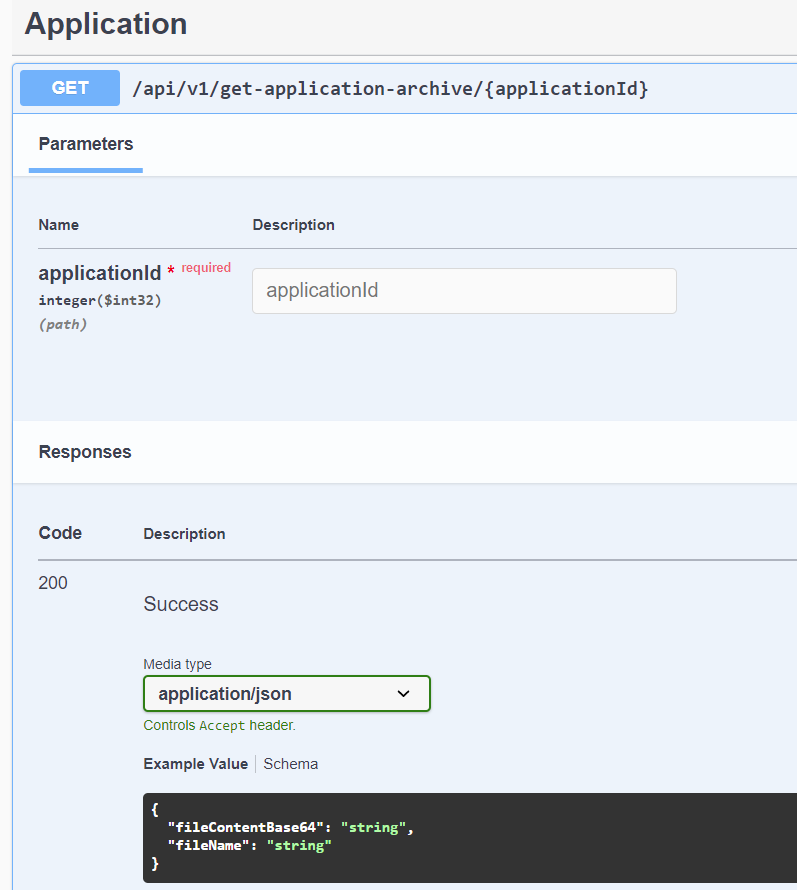
The returning objects will be returned in a single object or envelope defeined in the swagger specification
# Authorization
To access customer private resources, you will need an api token. Yor client api key can be obtained and created in the Admin settings section on kpro (opens new window) 
To use the access token send the header Authorization with value TokenAuthScheme (apiKey) in every request that require authorization.
← Teams Applications →